
by Sophia Riley | Jul 13, 2023 | Oracle Apex
APEX, or Application Express, is a software development tool built by Oracle, one of the leading database management and development brands. It is used to create, run, and deploy database applications. Oracle Application Express (APEX) is a free, easy-to-use tool to help you quickly build and deploy database-driven applications. You can use APEX to create and publish your custom applications or build on top of our prebuilt widgets and components library. If you use Oracle Application Express (APEX) for your development, you’ll want to upgrade it from version 4.2.1 to 5.0.
The steps below will guide you through the process of upgrading an existing APEX application to version 5.0;
- Assess the current state
The first thing you need to do is assess the current state of your application. Is it working? Are there any bugs? What are the features? How often is it used? What kind of data does it hold? Knowing these answers will help you decide which steps in this guide are relevant. With that information, you can identify the areas where you want to spend most of your time improving performance and user experience. Also, knowing how much time you have will help you prioritize what needs improvement most urgently.
- Review documentation
There are several great resources for learning about Oracle Application Express (APEX), including books, blogs, videos and tutorials on the Oracle Learning Library website. It would help if you started by reading through some of these resources before making any changes to your application so that you’ll know what changes may affect other parts of your application and how they might be implemented differently depending on the platform and version of APEX.
- Perform a database backup
Ensure you have taken a database backup before upgrading your schema or performing any other database operation, such as importing data from another source or adding new tables or indexes. You should also ensure that all users are logged out from APEX when performing these operations so that no user-related objects exist in APEX after completing them.
- Test the upgrade in a non-production environment
After backing up your application, it’s time to test the upgrade in a non-production environment before moving forward with any changes to production systems. This aims to identify and fix any potential issues before they become problems for your users. Ideally, you could use an environment that looks similar to what your customers use so that they’re easy to identify and resolve when issues arise.
- Backup your applications
This is critical but often overlooked. Backing up your application before upgrading is the best way to ensure you can revert to the previous version if something goes wrong. You should also consider backing up the database, especially if it contains large amounts of historical or important information.
- Address compatibility issues
Before upgrading, it’s essential to determine if your Oracle APEX application is compatible with the new version of Oracle Application Express. The Upgrade Guide for each version has a section called Compatibility that lists known issues and workarounds for each release. You can also check the Compatibility Matrix in the Release Notes for more information about functionality added or removed since previous releases of Oracle Application Express.
- Plan for downtime
If you’re doing a significant upgrade, it’s best to take the application offline while the upgrade is done. This will give you time to ensure the promotion goes well before users return to their seats. If the application is mission-critical, consider using an automated deployment process that can be initiated remotely and tested in a sandbox environment before pushing it into production. This will help ensure that any issues with upgrades are found before they affect users.
- Execute the upgrade
There is no way around this step, so you should get it out first. Before you do anything else, ensure your upgrade scripts are tested and working correctly. The best way to test them is to run them on a development system set up with all of the same settings as your production system, including the database.
- Update your database schema
This may be necessary if you’ve changed the structure of tables or added new columns to existing tables during the development of your application. The easiest way to do this is to use an external tool that can compare schemas and tell you what needs to be updated for the schema change to work as expected with Oracle APEX 4 applications or whatever version number you’re upgrading from.
- Review application permissions
Now would be a good time to review your users’ permissions within the application and ensure they still match up with their roles and responsibilities within the organization. If any changes are required here, now is a good time to do it before deploying into production, where you might have more impact on other systems or applications due to changes in permissions.
- Monitor and support
Monitor your production systems for performance issues, look for unusual traffic patterns and see if any security issues affect your applications or databases. You should also make sure that there are no changes in the configuration settings of these systems that may affect them adversely, e.g., backups. If needed, hire a support team to assist you with these tasks while you concentrate on upgrading your application codebase and database schema.
- Protect against security threats
Security threats such as cross-site scripting (XSS) and SQL injection attacks can cause severe damage to your application if they cannot be detected and prevented in time. You should use appropriate measures to detect these attacks before they can cause severe damage to your database or other data sources your application or its users may access.
Conclusion
Generally, APEX is a compelling platform that can easily create applications without considering underlying development limitations. Understanding these steps will allow you or our team to confidently handle your upgrade and resolve any issues that may occur.
by Sophia Riley | Jul 11, 2023 | Sales Order Processing
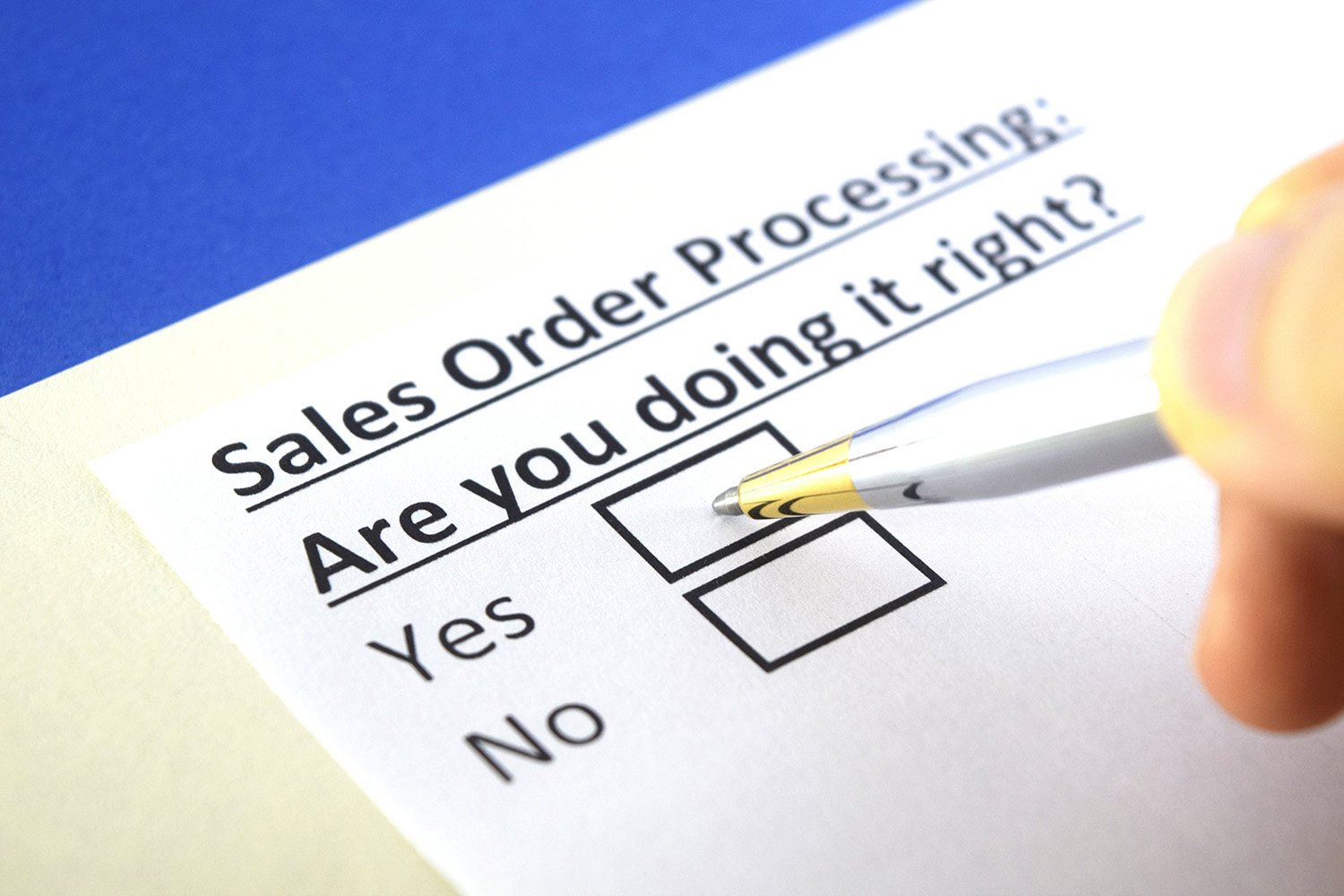
Sales order processing systems are valuable resources for businesses handling customer orders. Your business may benefit from implementing an order processing system to make it more effective and profitable. To assess your business’s benefits, we’ll review what an order processing system is, its features and functions, and why your business can benefit.
What is a sales order processing system?
The sequence of events from customer ordering to product delivery is called sales order processing. The sales order processing impacts each step of the purchasing and order fulfillment, including quotes, monetary transactions, order picking, and logistics.
Any business selling goods or services to clients must execute sales orders. It entails gathering, verifying, and completing orders received through various methods, including online, by phone, or by email. A modern sales order processing system is a tool that streamlines and automates this procedure, cutting down on errors, expenses, and delays. In this article, we’ll examine some of the essential features and capabilities of a cutting-edge sales order processing system and how they might help your company. Let’s get started!
- Order management
From order entry to delivery and invoicing, a modern sales order processing system should be able to control the whole order lifecycle. Order verification, approval, distribution, selecting, packing, shipping, tracking, and billing are just a few of the processes it can automate. The system can also handle complex situations like backorders, incomplete shipments, returns, refunds, exchanges, and cancellations. Each order’s status and progress may be tracked and managed, and you can also receive notifications for any problems or anomalies.
- Integration with multiple sales channels
You should be able to integrate your multiple sales channels, including your website, e-commerce platforms, social media, and third-party marketplaces, with a modern sales order processing system. By doing so, you may gather and combine orders from various sources, reduce duplication, and synchronize inventory and pricing amongst channels. In addition, you may offer a consistent and smooth client experience, irrespective of how customers place their orders.
- Inventory management
To maximize your stock levels and availability, a modern sales order processing system should function as your inventory management system or integrate with it. Your inventory can be tracked and updated across sites, warehouses, or suppliers. Additionally, cycle counts, transfers, modifications, and replenishment can all be automated. You can increase your inventory accuracy and visibility while avoiding stockouts, overstocking, and obsolescence.
- Integration and customization
A modern sales order processing system should integrate seamlessly with the accounting, CRM, ERP, and WMS systems and other apps you use in your company. Utilizing the capabilities and benefits of each system and streamlining workflows, data, and processes within your organization can be done in this way. Your sales order processing system can also be customized to fit your unique business requirements and preferences, such as your industry, product category, customer base, or sales strategy.
- Return processing
An order processing system may integrate return management features to increase the effectiveness of return processing. This can help the employees overseeing any client returns about the return and inform them of any actions necessary to carry out the return for the customer. This can reduce the amount of time that staff spends on returns processing while also benefiting customers. A company may be able to analyze and pinpoint areas for improvement by using data on returns provided by an order processing system.
- Invoice processing
For billing consumers, invoices are a crucial document, and an order processing system might produce one for each order. The system’s organization makes it simpler for the business to locate an order and issue an invoice, or it can do it automatically for every purchase. Ensuring the company receives money from each customer might help organize the accounts and billing data for the company.
- Customer service
A modern sales order processing system can improve your ability to serve and satisfy customers. You can offer convenient and adaptable delivery alternatives in addition to quick and accurate order fulfillment. Additionally, you can contact your customers via chat, SMS, or email during the ordering process. They can receive order confirmations, shipping updates, tracking data, invoices, and requests for customer feedback. Additionally, you can give customers self-service alternatives like order status checking, order alterations, and return initiating.
- Security and scalability
A cutting-edge sales order processing system must meet your company’s needs even as it expands while remaining secure. It can manage high order, customer, product, and transaction volumes without sacrificing effectiveness or quality. It can also adjust to changing market trends, client requests, or legislative requirements by incorporating new features, services, or integrations. Additionally, it can use encryption, authentication, backup, and recovery techniques to safeguard your data and transactions from unauthorized access, theft, or loss.
- Report generation
By creating and analyzing reports on organizational performance, productivity can be significantly increased. Order processing systems that keep track of them at every stage can speed up the production of more thorough reports. Many order processing systems may generate reports and charts based on parameters entered by the user, such as the average processing time or the total number of orders sorted by day. These systems employ data already present from each order processed to generate an accurate report.
Final thoughts
The sales order process is crucial in businesses, especially those that sell goods. If you get it right, you will be able to reduce costs and make your customers satisfied. But if you get it wrong, you will not only increase your expenses, but you will end up with unsatisfied customers. This is where a sales processing order comes in. If equipped with the above features, it will help you streamline the ordering process, save you significant money in the long run, and help you retain your customers.

by Sophia Riley | Jul 7, 2023 | AP Automation, Automation
Sales order automation entails using software applications or a combination of software and human resources to automate the sales order management process. This includes automating the creation, processing, and fulfillment of customer orders.
Sales order automation is the process of automating the sales order creation process. Sales order automation can be done in a variety of ways, including:
Sales Order Automation Software – Sales order automation software makes creating and managing sales orders easier by automating many different aspects of the process. The software can help you generate quotes, create product catalogs, set pricing rules, collect customer information, and more.
Sales Order Management System – A sales order management system is an integrated solution that combines functionality for multiple business processes into one platform. A sales order management system can help companies manage their sales processes more efficiently by incorporating features like quote generation, invoice processing, and payment management into a single solution.
Sales Order Automation Benefits:
Increased efficiency-Automation allows you to place orders faster and more accurately than ever. There’s no need to wait on a sales rep or go through several different departments to place your order, which means you’ll get your products faster and at a lower cost.
More accurate data collection-When all aspects of order processing are automated, it’s easier for employees to enter accurate information into their systems so they can more easily track inventory levels and sales trends over time. This makes it easier for managers to make better business decisions about where they should invest money in inventory or how much they should sell based on consumer demand at different times throughout the year or across multiple regions of the country.
Improved customer satisfaction: Sales order automation helps you deliver products promptly. This improves customer satisfaction as they get their products on time without waiting too long. It also helps reduce costs while maintaining quality standards simultaneously so that the company retains its competitive edge in the marketplace.
Reduced errors-Sales orders often contain multiple line items, each with its item code, description, and quantity. This can make it difficult to enter data accurately and consistently, leading to mistakes that could be avoided using an automated system that validates each field before submitting the order.
Better inventory management: Sales order automation helps you manage your inventory efficiently by providing real-time information about stock levels and their movement. You can also keep track of the quantity of a particular item that has been sold or ordered and make the necessary changes in your inventory management.
Increased productivity: There will be no need to enter purchase orders manually, shipping documents, invoices, and other details as they can be entered automatically with the help of this software. This will save time and increase productivity as well as accuracy.
Increased revenue: Sales order automation eliminates human errors, which means there will be no mistakes in data entry or calculating prices. As a result, you will get accurate information about your customers and their orders. This will help you increase your revenue by ensuring your customers get what they want at the right price.
Reduced time consumption: With sales order automation software, you don’t have to worry about manually entering data into different systems or manually processing orders. You can use the software’s features to do these things automatically so that you can focus on other important tasks, such as improving customer relationships and increasing customer satisfaction levels.
Scalability and flexibility: Sales order automation allows you to scale your business by automating manual tasks. This will help you increase productivity and reduce errors. The cloud-based solution can access mobile devices such as smartphones and tablets, making it easy to manage your sales orders.
Data insights and reporting: Sales order automation enables companies to get real-time data on their sales performance regarding revenue, number of orders placed, and items sold. This information can help them make better decisions about future business strategies. Sales order automation also provides insight into customer behavior so that businesses can take steps to retain customers.
Improved data quality: Sales order automation automates the data entry process, which means there is less opportunity for human error. This means your company will have a lower chance of missing a sale or entering incorrect information into your system. Sales order automation also reduces costs associated with data entry errors because customers aren’t charged extra fees if they need to resubmit their orders due to mistakes made by your staff members.
Faster time-to-market: Sales order automation allows you to enter orders faster than traditional methods because it uses predefined templates automatically populated with relevant information from previous transactions. When a new transaction comes in, your staff member only needs to complete a few details before submitting it for approval. With traditional methods, more work would be involved because you would need to manually enter each piece of information into each field on each document.
Improve visibility– In every company, many orders need to be tracked and managed. Sales order automation can help you keep track of all your sales orders, no matter how large or small. Sales order automation software keeps you updated on all the details of your orders. It also helps you to identify any problems in the sales process so that you can fix them before they become more significant issues for your company.
Key Takeaway
Sales order automation is the process of automating sales order processing. Sales order automation works by automating various aspects of the sales process so that you can focus on what’s essential: closing deals and making money. The goal of any good sales system is to increase efficiency while reducing errors, something that’s exceedingly difficult when you have multiple people involved in each part of a transaction. This is where sales order automation comes into play. It allows you to streamline your processes so that they’re faster and more efficient than ever before!

by Sophia Riley | Jun 29, 2023 | Accounts Payable, AP Automation
Accounts Payable (AP) is the department in a company that handles accounts payable. Essentially, it’s the people part of a company’s purchasing. Accounts payable are responsible for receiving all invoices from vendors who work with the company and ensuring that appropriate payments are promptly made. The accounts payable department is crucial to any business. It’s responsible for paying invoices and ensuring all vendors are paid promptly. AP is also one of the most complex departments in any company.
Here are some tips for automating accounts payable.
Maintain accurate vendor records
Accurate vendor records are essential for smooth AP operations because they provide vital information about each vendor’s status with your company, including payment history and outstanding invoices. Maintaining accurate records is more than avoiding late payments; it’s also about ensuring that vendors can’t take advantage of mistakes made by accounting staff who may need to be more familiar with their company’s policies or procedures for paying particular vendors on time or as a whole.
Implement a streamlined process.
The first step to streamlining your AP process is determining where the breakdowns occur in your current workflow. To do this, you’ll want to map out the steps of your current process, either manually or with software such as Microsoft Visio. Once you’ve done this, please review it and look for areas where there’s duplication of effort or where a step can be eliminated. The goal here is to ensure that each person involved in the process only needs to do one thing at a time and that they can pass information seamlessly between them.
Regularly reconcile statements
Most companies receive statements from vendors on a monthly or quarterly basis. It’s important to reconcile these statements regularly to avoid surprises at the month’s or quarter’s end with unpaid invoices. You can use an automated reconciliation system to ensure your accounting department doesn’t have to conduct these reconciliations manually.
Prioritize invoice approval
Once you have an integrated system, you can start automating AP processes by prioritizing invoice approval based on how much money is due or how quickly it needs to be paid. For example, if a vendor requires payment within 30 days but only sends one monthly invoice. Set up your system so that it automatically approves this vendor’s invoices within 30 days of receiving them by the accounting department unless more urgent invoices need higher priority.
Negotiate favorable payment terms
Negotiation is an essential component of good AP management. Start by reviewing your company’s payment terms with vendors, looking for opportunities to reduce costs and improve cash flow by extending credit terms or offering discounts in exchange for early payments. Consider using third-party factoring companies that specialize in receivables financing.
Leverage technology
If you manage your AP manually, consider implementing an automated system. Automation will save you time and money by eliminating redundant tasks like data entry and reconciliation. A good option is invoice management software, which allows you to track open invoices, pay vendors electronically and manage internal accounts receivable. You can also use it as a financial management tool by running reports on cash flow and profit margins by customer or vendor name.
Take advantage of early payment discounts
If you’re paying on time, ask for a discount. Suppliers and vendors often offer discounts for early payment, so you can save money if you pay faster. Some vendors may offer additional discounts if you pay with a credit card or electronic check instead of a check or wire transfer. It’s worth asking about these incentives before purchasing from a vendor. Accounts payable automation tools can help you take advantage of early payment discounts by automating the payment process and ensuring that payments are made on time every month.
Monitor aging reports
The AP department should review the aging report regularly to ensure it is on time. After all, late payments can be costly and can jeopardize your relationship with vendors. If an invoice is more than 60 days past due, contact your customer immediately to see if there’s a problem or if they need additional time to pay. The longer an invoice remains unpaid, the harder it will be for you to collect money from them in the future or even in the present.
Establish strong communication channels
Employees and managers must be able to communicate with each other effectively. This means having an open line of communication with your accounting department, so they can keep you up-to-date with necessary information regarding payments and invoices. If you have questions about anything related to your AP process, contact them immediately so they can answer your questions promptly.
Use automated invoicing software
Automating the invoice process can save you a lot of time, and it’s easy to do. Just enter your purchase orders into the software and let it create invoices for you. You can even automate payments and have money automatically transferred from your bank account to vendors’ accounts when the bill is due. This helps ensure your vendor gets paid on time without worrying about you forgetting to pay them or being late. Automated invoicing can also help you get paid faster, which is often a problem with manual processes.
Use electronic data interchange (EDI)
This is a method of submitting invoices electronically rather than by mail or fax. It’s easier on your staff and can save you money by reducing errors since there are fewer chances for human error when employees use standardized forms and processes. EDI also reduces the time it takes to process payments, which can help you manage cash flow more effectively.
Send reminders
If you’ve sent an invoice but have yet to receive payment, send a reminder letter saying that if payment isn’t received within ten days, you’ll assume the invoice is rejected and stop working on the project until it’s paid. This gives the client time to pay without waiting for another invoice or being charged interest on late payments.
Conclusion
Most businesses have implemented automated systems for AP. A good software solution will help you streamline the process, maintain accurate vendor records and negotiate favourable payment terms. Thisfavorablewill be more prepared to make the tough decisions that are a part of your daily workflow.

by Sophia Riley | Jun 27, 2023 | AP Automation
All kinds and sizes of businesses must manage their cash flow efficiently for success. It is common for companies to encounter difficulties in financial management, and automating the accounts payable process can be advantageous.
Improving accounts payable procedures enhances cash flow and offers AP staff control over payments while offering them a chance to influence the cash flow positively.
Accounts Payable Automation
Automating AP department operations ensures enterprises make quicker payments and have a steady cash flow. It eliminates manual tasks, improves information sharing, and supports electronic billing or payments.
Organizations will need fewer staff as the system helps with financial documents and reporting. They can easily get information about unpaid invoices, estimates, purchase order linkages, taxation, and invoice timelines. Besides making the information accessible for scrutiny, AP automation reduces operating costs.
Businesses can carry out many tasks and save a lot of time using an electronic account payables system, like:
- Automated processing of purchasing orders
- Keeping a record of goods purchased.
- Approving and verifying invoices
- Signing off on purchasing orders
- Timely payment to suppliers
How accounts payable processes work
Companies purchase items from suppliers to pay later and the accounts payable team play a significant role in businesses’ financial transaction. AP automation ensures payments are correct, on time, and fraud-free.
The AP department gets bills through various channels and can get them electronically or by hand. With automation, there will be minimal information keying by humans. The system helps collect and tag invoices to the correct accounts and billing data. Workers can compare the bill against the purchase orders.
Then, it sends invoices to the right individuals for authorization, using an AP or ERP system before bill settlement.
The AP team takes a considerable time handling problems such as invoice exceptions, responding to supplier correspondences, locating other purchase documents, and seeking prompt approval of payments.
It is essential to use automation to ensure the optimal functioning of the account payable processes. Here is how to do it;
Involve AP Department
People are not adept to change and involving the team will make them embrace it. The personnel needs to undergo training and acquire skills to utilize the system for the best results. Businesses can start the digital transformation initiative with repetitive tasks like account payables by automating the entire cash flow operations. Including stakeholders and getting their input when developing the plan is best.
Use Advanced Technology for AP Automation
New AP automation applications for businesses can do more than previous versions eliminating manual work along the way. They are cloud-based and automate accounts payable procedures, including billing, purchase order evaluations, and support electronic payments.
Digitization improves accuracy in invoices and purchase orders by pulling information from the company database. Staff does not have to move from their desks to get payment approvals as they can route them automatically, notify the relevant person and escalate matters of concern.
Optimizing the system for mobile devices will simplify invoice approving and signing as executives can do it on their smartphones.
The system automatically saves data and documents to the company database offering a centralized platform for information access. With key performance indicators, businesses can use dashboards to track the AP department performance and generate reports in varying formats.
The AP team must pull information from external platforms when processing invoices and purchase orders. Integrating other digital tools into your accounts payable system is important for optimal performance. A qualified and experienced technician can help enterprises find the right system for their business needs.
Continuously analyze and improve the System
It is improbable to get everything perfect upon the first attempt. Like other digital transformation initiatives for businesses, AP automation is a continuously changing process. To increase productivity, it is critical to analyze and improve your system functionality to adapt your processes accordingly.
After utilizing technology for some time, people will develop varying opinions about it. Interviewing the AP team about system functionality will provide ideas for modifications and upgrades. You can improve performance by asking users to share their experience: What have they found beneficial, and what to do to simplify their work? Then pick the greatest ideas for implementation; Users will be happier seeing their proposals implemented.
Ensure Transparent Accounts Payable Operations
Data silos arise from manual procedures and piles of documentation, which can hinder transparency in business payments. However, AP automation is a critical step in evaluating corporate spending adequately.
Not having clarity on invoice processing and payment procedures exposes businesses to risks and inefficiency. It will take lots of time to get information and organize data. In addition, organizations will need to recognize the real worth of the information they obtain from the AP system.
Firms may benefit from early payments on invoices as suppliers have discounts for customers paying before the deadline. AP automation allows companies beat the payment timeline by approving invoices quickly and eliminating problems that may cause delays in processing.
Digitization will reduce the time used in invoice processing procedures and human mistakes from data entry, at the same time, help in tracking payment schedules to benefit from the discounts. In addition to reducing invoice exceptions, AP automation ensures correct and timely payments. Interactions with suppliers become easier, more reliable, and mutually beneficial.
Suppliers can choose payment methods using the AP system and send invoices in different formats.
The Final Thoughts
When looking for AP automation tools, it is essential to consider the digital solution connect to your existing system for the best performance.
Undertaking the AP automation in-house can b costly for small and medium enterprises since they probably do not have the personnel to do the work. However, businesses can outsource digital transformation services from professional IT firms. Besides cost saving, companies get the right expertise and continued support during implementation.
Enterprises can build the automation system from scratch or purchase third-party applications to streamline business processes.