


Order Management
Sales order automation
Simplify and automate order entry so your customer service team can focus on value-added activities that increase customer engagement. Pre-built workflows and Oracle connectors make implementation a breeze.
- Oracle partner
- Multi-ERP support
- Pre-built workflows
The challenge
Order entry is a bottleneck
Orders reach us by email, portal, fax and scan, all different.
I key every order into the ERP line by line.
We find wrong accounts, prices or ship-to addresses too late.
Each of our ERPs has its own way to enter an order.
What you get
Everything your team needs to transform order entry from a bottleneck into a competitive advantage.
Capture and check
- AI data extractionUses WebCenter Forms Recognition and AI to extract order information from any document format automatically.
- Document managementIntegrated with OAN Content Management for storing and retrieving order documents with full content management.
- Data validationValidate and correct extracted data before it flows into your ERP system. Exception handling built in.
Run the workflow
- Pre-built workflowsPre-built and pre-configured workflow processing of raw sales order data into structured data, ready for your ERP.
- SLA-driven processingWorkflow-enabled flows to prioritize incoming documents for processing, improving SLAs and response times.
- Single-hub portalWorkflow-enabled orchestration provides a single-hub portal for all order sources with feedback loop to and from ERP.
Connect to your ERP
- ERP master data syncTouchless synchronization of master data from Oracle Fusion and Oracle EBS. Always in sync.
- Oracle Fusion connectorPre-built connector to Oracle Fusion to create sales orders directly. No custom integration required.
How it works
From raw orders to ERP-ready data
OAN captures orders from any source, extracts data with AI, validates it, and pushes structured sales orders into your ERP.
One portal for all order sources
Sales Order Automation uses cutting-edge technology to simplify and automate order processing. Pre-built workflows and multiple Oracle ERP connectors make implementation fast. If your organization has multiple ERP systems, OAN can front-end all of them to give you a global single-entry point.
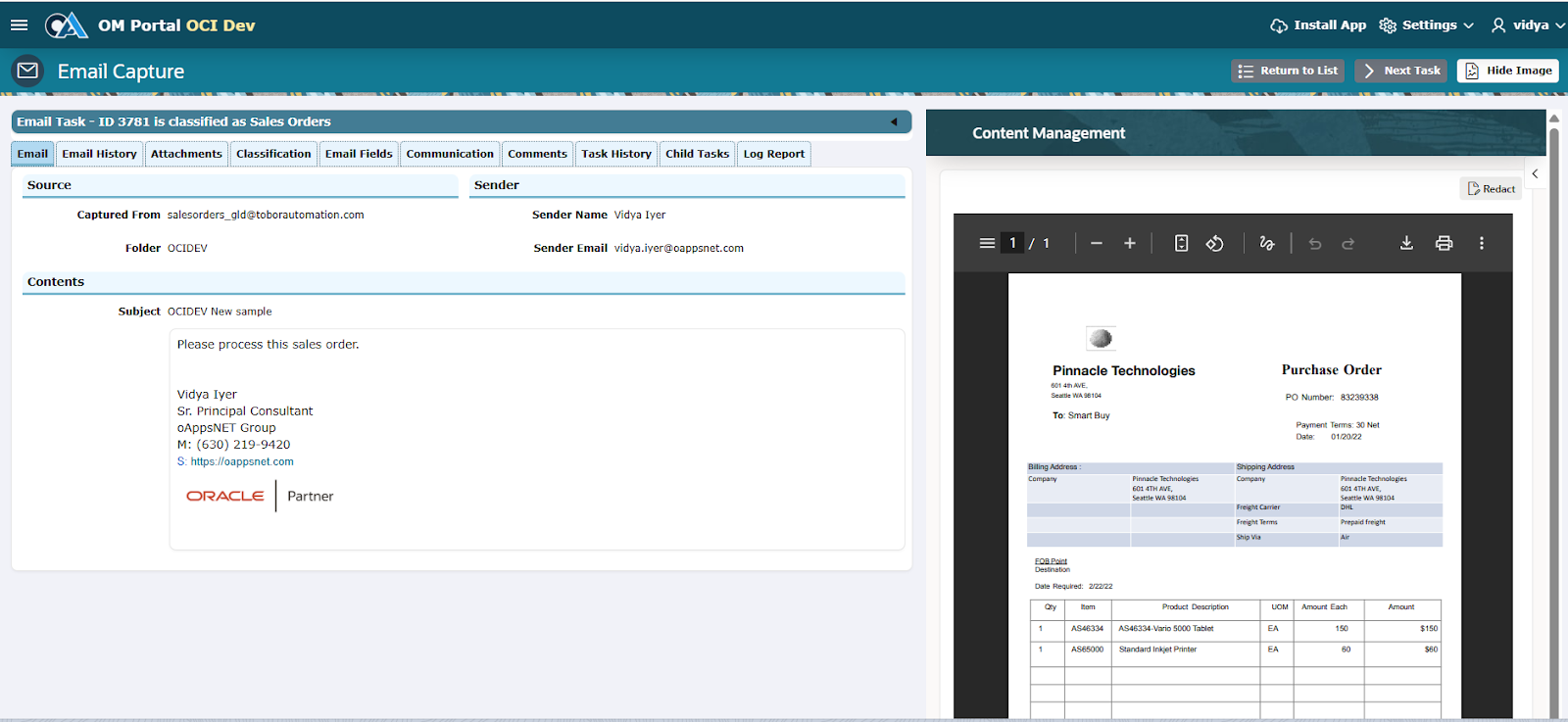
Capture orders from any channel
Email, web portal, fax, or scanned documents. OAN ingests orders from every source your customers use and routes them into a single processing queue. No more switching between systems or manual re-entry.
- Email, web portal, fax, and scanned document support
- Automatic format detection and normalization
- Priority-based queue management for SLA compliance
- Single dashboard view across all order channels
Extract, validate, and enrich automatically
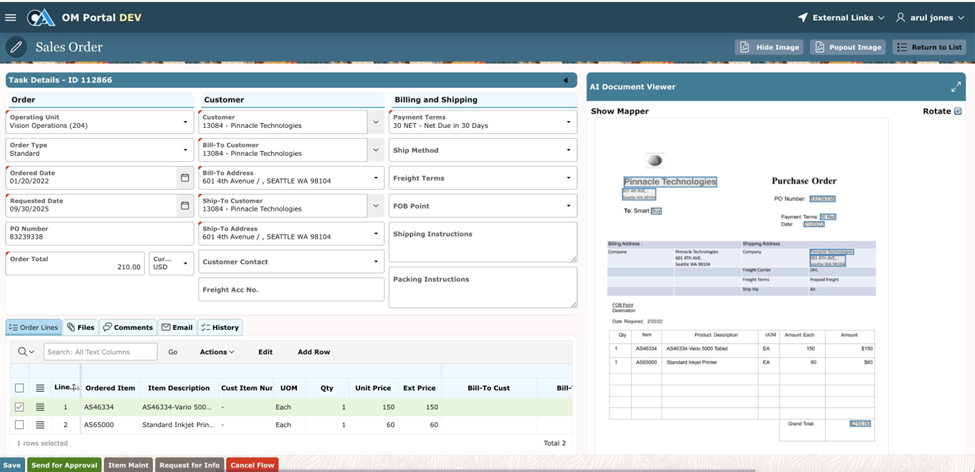
OAN uses AI and OCR to extract customer, item, quantity, price, and delivery details from order documents. Extracted data is validated against your ERP master data: customer accounts, item catalogs, pricing agreements, and ship-to addresses.
- AI extraction of customer, item, quantity, and pricing
- Real-time validation against ERP master data
- Automatic customer and item matching
- Easy correction interface for exceptions
Create sales orders in your ERP automatically
Once validated, OAN creates sales orders directly in Oracle Fusion or EBS through pre-built connectors. For organizations with multiple ERPs (Oracle, Microsoft, etc.), OAN serves as a centralized hub, giving you a global single-entry point without upgrading any system.
- Pre-built connectors for Oracle Fusion and EBS
- Multi-ERP support as a single entry point
- Feedback loop keeps OAN and ERP synchronized
- Document storage with OAN Content Management and Oracle Content Management

 Native connectors for Fusion and EBS
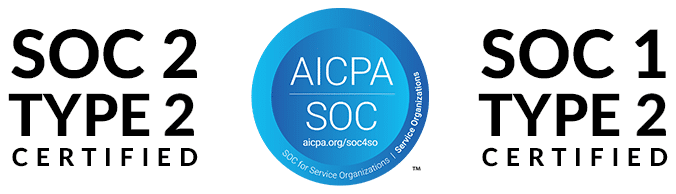 Independently audited controls
FAQ
Frequently asked questions
Does Sales Order Automation work with Oracle Fusion?
Yes. OAN has pre-built connectors to Oracle Fusion for creating sales orders directly. Master data syncs automatically from Fusion to OAN.
Can OAN work with multiple ERP systems?
Yes. If your organization has multiple ERP systems (Oracle, Microsoft, etc.), OAN can front-end all of them to give you a global single-entry point and process.
How does OAN extract order data from documents?
OAN uses a combination of WebCenter Forms Recognition and AI to extract order information from any document format, including PDFs, emails, and scanned documents.
Do I need to upgrade my ERP to use Sales Order Automation?
No. OAN works alongside your existing ERP systems. You can transform your order entry process without upgrading or updating your ERP.
How long does implementation take?
Sales Order Automation consists of pre-built and pre-configured workflows along with multiple Oracle ERP connectors that make implementation fast, typically within 8 to 12 weeks.
Does OAN support document storage for orders?
Yes. Sales Order Automation integrates with OAN Content Management and Oracle Content Management to store and retrieve ordering documents with full audit trail.
Resources
Your pathway to smarter solutions
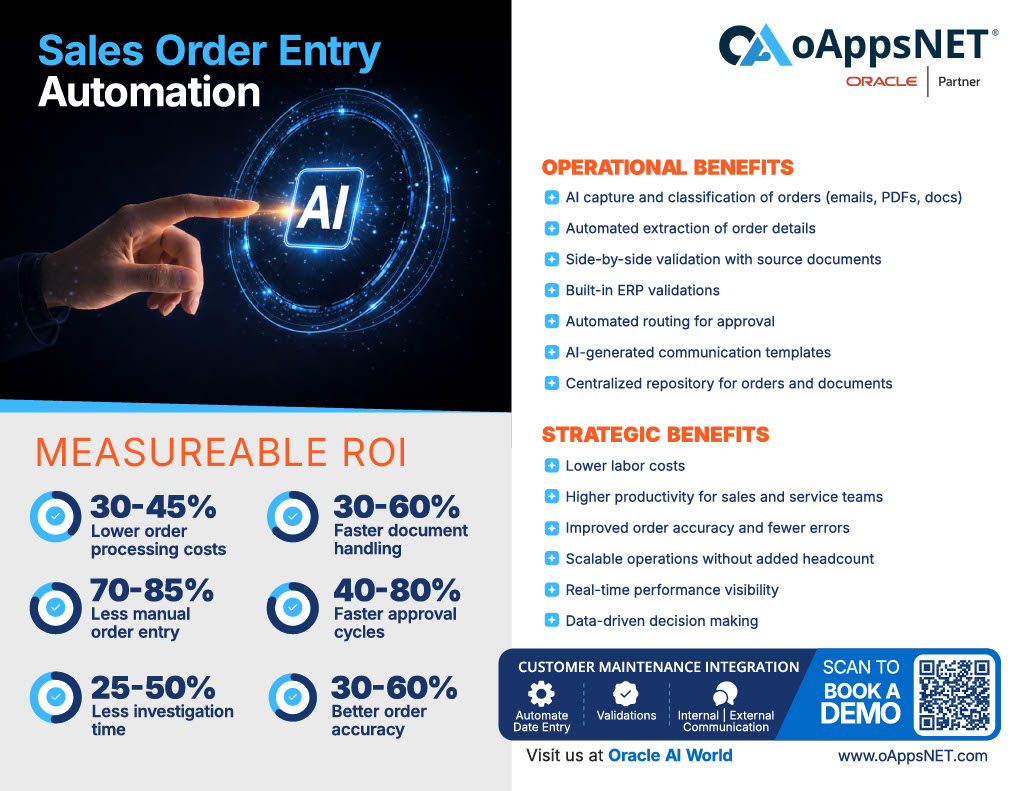
Download our data sheets for a deeper dive into OAN capabilities, or connect with us to discuss how OAN can benefit your organization.
Explore related products
Cash Application
Cash ApplicationAI-powered cash matching for AR.
Learn moreAR & Collections
AR & CollectionsSmarter collections management.
Learn moreInvoice Delivery
Invoice DeliveryMulti-channel invoice delivery.
Learn moreDeductions
Deductions ManagementTrade and non-trade deduction management.
Learn moreReady to explore?
Ready to automate order entry?
See how OAN can transform your order management process. We will walk you through it with your specific ERP setup.