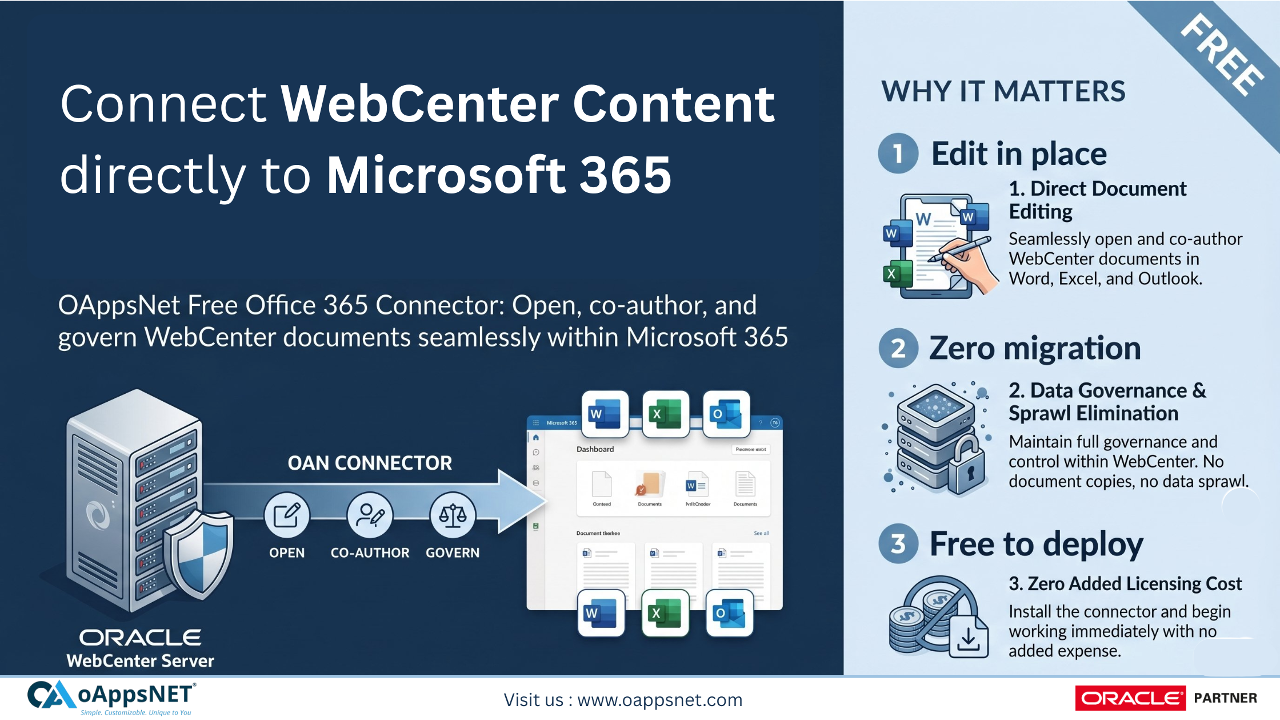
Bringing Microsoft Office 365 editing into Oracle WebCenter Content is one of the most requested capabilities I’ve encountered from WebCenter customers. It’s not hard to understand why. Office 365 is the de facto editing experience across virtually every enterprise users live in Word, Excel, and PowerPoint on the web every day. Yet the documents that matter most to the business the ones under proper governance, audit, and security control — sit in WebCenter Content. The gap between where users want to work and where content lives has been a persistent source of friction for as long as I’ve been close to this space.
As former Director of Product Management for Oracle WebCenter, this came up in nearly every customer conversation I had. If you’re an IT leader running WebCenter today and wondering whether there’s a better way to give your users a modern editing experience without abandoning the content investments you’ve made, you’re not alone — this is one of the most asked-for capabilities in the WebCenter ecosystem. The good news is that a practical answer now exists, and it works for every WebCenter customer.
The problem IT leaders are solving
If you manage Oracle WebCenter Content today, you hold a portfolio of documents the business depends on procurement files, legal contracts, engineering drawings, policy manuals, customer records. They live in WebCenter for good reasons. WebCenter gives you version control, audit trail, security model, retention, and the compliance posture your auditors expect. Migrating that content out is rarely a good answer, and most IT leaders rightly resist the proposition.
At the same time, your users are spending their days in Microsoft 365. They want to open a Word document, make edits with the modern formatting tools they’re used to, collaborate, comment, and save without thinking about it. When they’re forced to download a file from WebCenter, edit it on the desktop, and re-upload it, they push back. Some go further and start saving documents directly to OneDrive or SharePoint, bypassing the governance you’ve put in place. That’s the worst of both worlds – content drift, lost audit trail, and a quiet erosion of your WebCenter investment.
What IT leaders need is the third option: keep content in WebCenter, but let users edit it in Office 365 as if it were already there.
What’s been available and the limitation ( Out of box Microsoft Connector)
This isn’t a new ask, and an existing component has been available through Oracle’s Marketplace. The challenge has not been the intent , it has been one specific prerequisite. The available path requires the customer organization to be enrolled in Microsoft’s Cloud Storage Partner Program, which Microsoft restricts to partners rather than customer organizations. For most enterprise WebCenter customers, that single requirement has been a structural blocker. You can have the right product, the right intent, and a willing IT team, and still find that the prerequisite is not appropriate for customer enrollment.
The result has been that the most-asked-for WebCenter capability has remained out of reach for the majority of customers who asked for it.
A different path, Now built for every customer
Solving this for every WebCenter customer required an approach that does not depend on partner-only programs and that runs entirely within the customer’s existing WebCenter deployment. That’s what the OAN Office 365 Connector for Oracle WebCenter Content delivers. It is built so it can be installed and operated by any WebCenter customer, on any deployment topology — on-premise, Oracle Cloud Infrastructure (OCI), or Marketplace using nothing more than your existing WebCenter environment and your existing Microsoft 365 subscription.
This is the difference between a capability that works for a few and a capability that works for everyone running Oracle WebCenter Content.
Introducing OAN Office 365 Connector for Oracle WebCenter Content
OAN Office 365 Connector for Oracle WebCenter Content is a native WebCenter Content component that brings Microsoft Office 365 editing directly into your existing WebCenter environment. Installed via Component Manager onto your existing WebLogic-hosted WebCenter Server, it adds an “Edit with O365” action to the Redwood UI. Users click, edit in the familiar Office 365 experience, save with one click, and the new version lands as a controlled WebCenter revision with WebCenter remaining the system of record at every step.
How it works: the end-user experience
A user browses to a document inside Oracle WebCenter Content’s Redwood UI. Alongside the standard actions, they see an “Edit with O365” option. They click it. The document opens in Microsoft Office 365 — Word, Excel, or PowerPoint, depending on the file type – ready to edit. They make their changes using the full Microsoft 365 editing experience they already know. When finished, they click a “Save to WebCenter” button, and the edited document is checked back into WebCenter Content as a new revision. The original document stays in WebCenter throughout — there is no migration of content out to Microsoft, and no permanent copy left in Microsoft’s cloud after editing is complete.
That is the entire user experience: click to edit, edit normally, click to save. Everything else happens behind the scenes.
Why this works for every Oracle WebCenter Content customer
Three architectural decisions make the OAN Office 365 Connector accessible to every WebCenter customer, regardless of how they deploy WebCenter.
It runs entirely inside your existing WebCenter Server. The Connector deploys onto the same WebLogic instance you already operate no additional server, no separate VM, no new tier of infrastructure to commission or maintain. If you can install a WebCenter component, you can deploy this Connector.
It uses standard Microsoft 365 capabilities available to every Microsoft 365 customer. There is no requirement for Cloud Storage Partner Program enrollment, no partner-only status with Microsoft, no special tenant configuration beyond what any Microsoft 365 customer can do on their own. Your existing Microsoft 365 subscription is enough.
It works identically across deployment topologies. Whether your WebCenter Content runs on-premise, on Oracle Cloud Infrastructure, or via Marketplace, the installation experience and the user experience are the same. One Connector serves your entire footprint.
The business value – Why it matters
For IT leadership making the case to executive sponsors, the value of OAN Office 365 Connector can be stated in plain terms:
Your WebCenter Content investment is protected. Content does not move out. Your governance, retention, audit, and security posture remain exactly as they are today. WebCenter remains the unambiguous system of record.
Your users get the modern editing experience they have been asking for. They edit in Office 365 with the full feature set they use every day. Adoption friction drops to near zero because the interface is already familiar — there is no new tool to learn.
Your version history stays meaningful. New revisions in WebCenter represent intentional editorial decisions by users, not autosave noise. Your audit trail continues to reflect what your auditors expect it to reflect.
Your IT team adds no new infrastructure. The Connector lives inside your existing WebCenter Server. There is no additional operations footprint, no new servers to harden, no extra monitoring scope.
Your deployment story stays uniform. One Connector covers on-premise WebCenter, WebCenter on OCI, and Marketplace deployments. Standardization stays simple as your environment evolves.
In a single line for an executive summary: Give users Office 365 editing on WebCenter content without moving content out, without buying new infrastructure, and without requiring partner-only Microsoft programs.
Getting started
The OAN Office 365 Connector for Oracle WebCenter Content is available FREE without software license fees*. Engagement begins with a short discovery conversation to confirm fit with your WebCenter version and Microsoft 365 environment, followed by a defined implementation timeline scoped to your environment.
To see the Connector in action or discuss how it would deploy in your environment, contact us