AP Invoice Automation for SAP
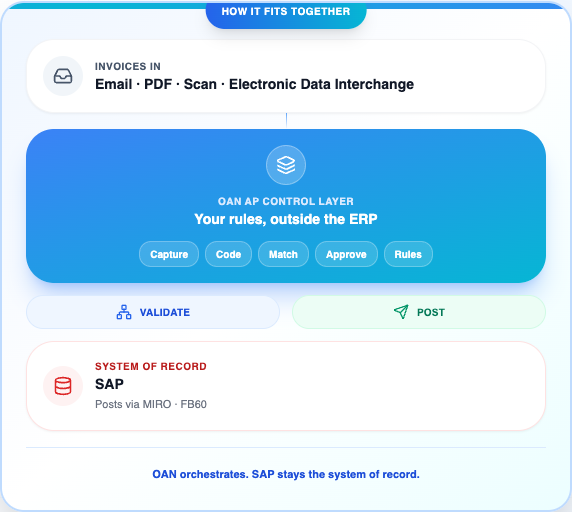
Automate invoice capture, coding, matching, approvals, and posting on top of SAP, with room for the business rules that are expensive to build in SAP or the Vendor Invoice Management add-on. OAN handles that work on its own layer, validates against SAP, and posts through SAP’s own interfaces.
Getting invoices into SAP still takes a lot of manual work.
The invoice work around SAP, capture, coding, matching exceptions, and approvals, is manual and rigid. And the standard fix, the Vendor Invoice Management add-on, is a heavy, tightly-coupled project of its own.
Manual keying into SAP
Typing invoices into SAP invoice entry screens (the MIRO and FB60 transactions) by hand is slow, error-prone, and does not scale as volume grows.
Blocked invoices and GR/IR
A small variance in the three-way match, the purchase order, the goods receipt, and the invoice, blocks payment and clogs the Goods Receipt / Invoice Receipt clearing account at close.
Non-PO coding is manual
Invoices with no purchase order need manual General Ledger and cost-center coding. A mistake here flows straight into your financial statements.
Approvals stall
Invoices sit in approval chains when an approver is away or routing is unclear, causing late payments, missed early-payment discounts, and vendor friction.
Every change is a project
Bending SAP to a business-specific rule means costly customization, and the Vendor Invoice Management add-on turns small changes into complex configuration.
Migrations mean rework
A move to SAP S/4HANA can force the Vendor Invoice Management configuration to be rebuilt, which adds cost and time to the migration.
Handle the flexible AP work outside SAP, then post it into SAP.
OAN handles the flexible, business-specific part of AP on its own layer, then talks to SAP for validation and posts through SAP’s own interfaces. You get flexibility without customizing your ERP.
Add a flexible layer
Capture, code, match, approve, and apply your business rules on the OAN layer, where a change is configuration, not an SAP customization or a Vendor Invoice Management reconfiguration.
Validate against live SAP data
Every invoice is checked against SAP in real time: supplier master, purchase order, goods receipt, tolerances, and duplicate checks. Nothing moves on stale copies.
Post through SAP, cleanly
Validated invoices post through SAP's own interfaces (the MIRO and FB60 transactions, or standard SAP invoice APIs), so they process the normal SAP way. SAP stays the system of record.
What happens to an invoice before it posts to SAP.
Capture from any channel, with AI
Email, PDF, scan, or electronic data interchange in. AI reads the header and line detail, so no one keys invoices into MIRO or FB60 by hand.
Automated coding
General Ledger accounts, cost centers, work breakdown structure, and internal orders assigned by rule and by learning, for both purchase-order and non-PO invoices.
Flexible matching
Two-way and three-way matching (purchase order, goods receipt, invoice) with tolerances you set by vendor, category, or entity, and partial-receipt handling.
Route and resolve exceptions
Blocked invoices, missing goods receipts, and one payment across many invoices: route and resolve each with your own rules, before they reach SAP.
Mobile approvals
A configurable approval matrix by amount, entity, department, or project, with mobile sign-off so approvals do not wait for someone to be at their desk.
Controls and audit
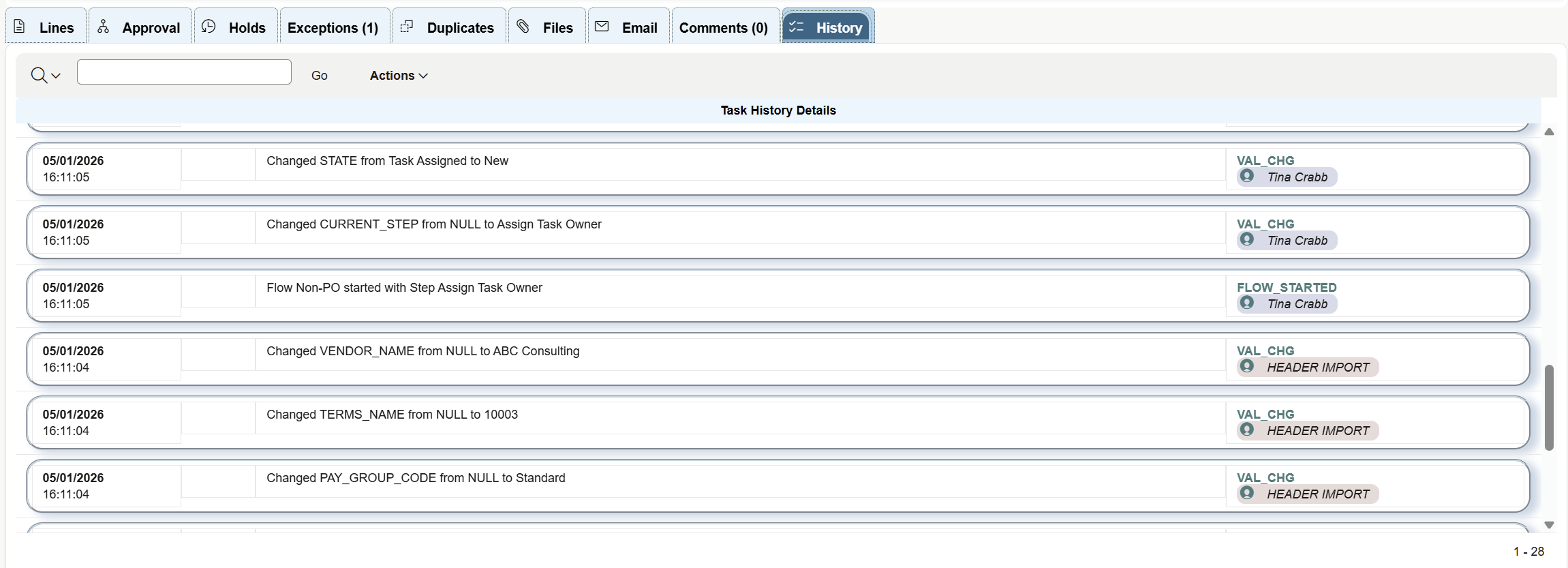
Duplicate and fraud checks, segregation of duties, and a complete audit trail from capture to the posted SAP document.
How OAN Transforms AP
End-to-end automation that handles the entire invoice lifecycle around SAP, from receipt to posting.
Capture & Extract
Get invoice data ready for SAP faster and more accurately.
Intelligent Document Capture
Accept invoices from any channel: email, PDF, scan, or EDI. AI reads header and line detail, so no one keys invoices into MIRO or FB60 by hand.
AI-Powered Data Extraction
Advanced OCR and machine learning extract header and line-level data with high accuracy, ready to post to SAP.
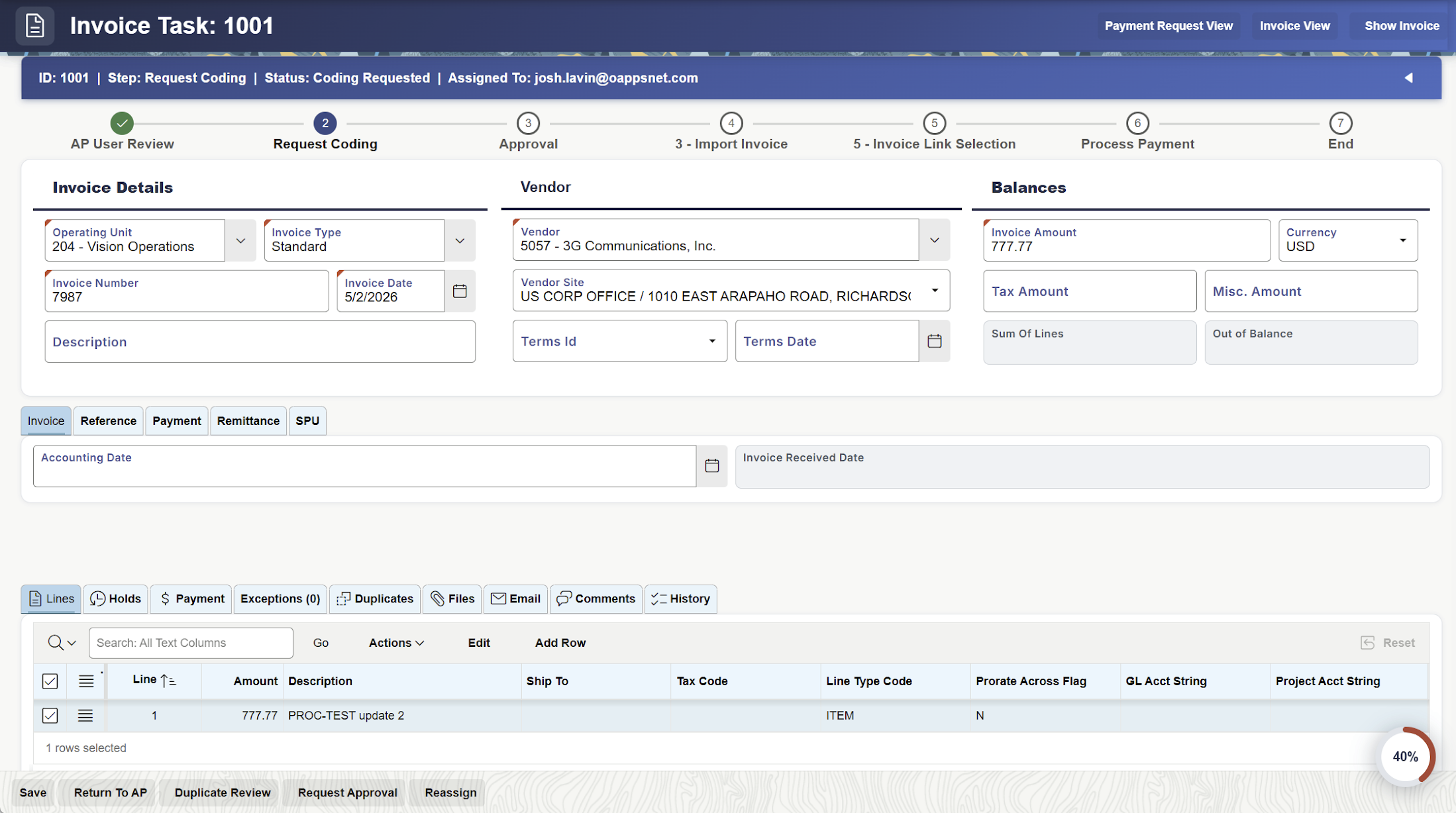
Process & Automate
Eliminate manual work and accelerate approvals.
Smart Coding
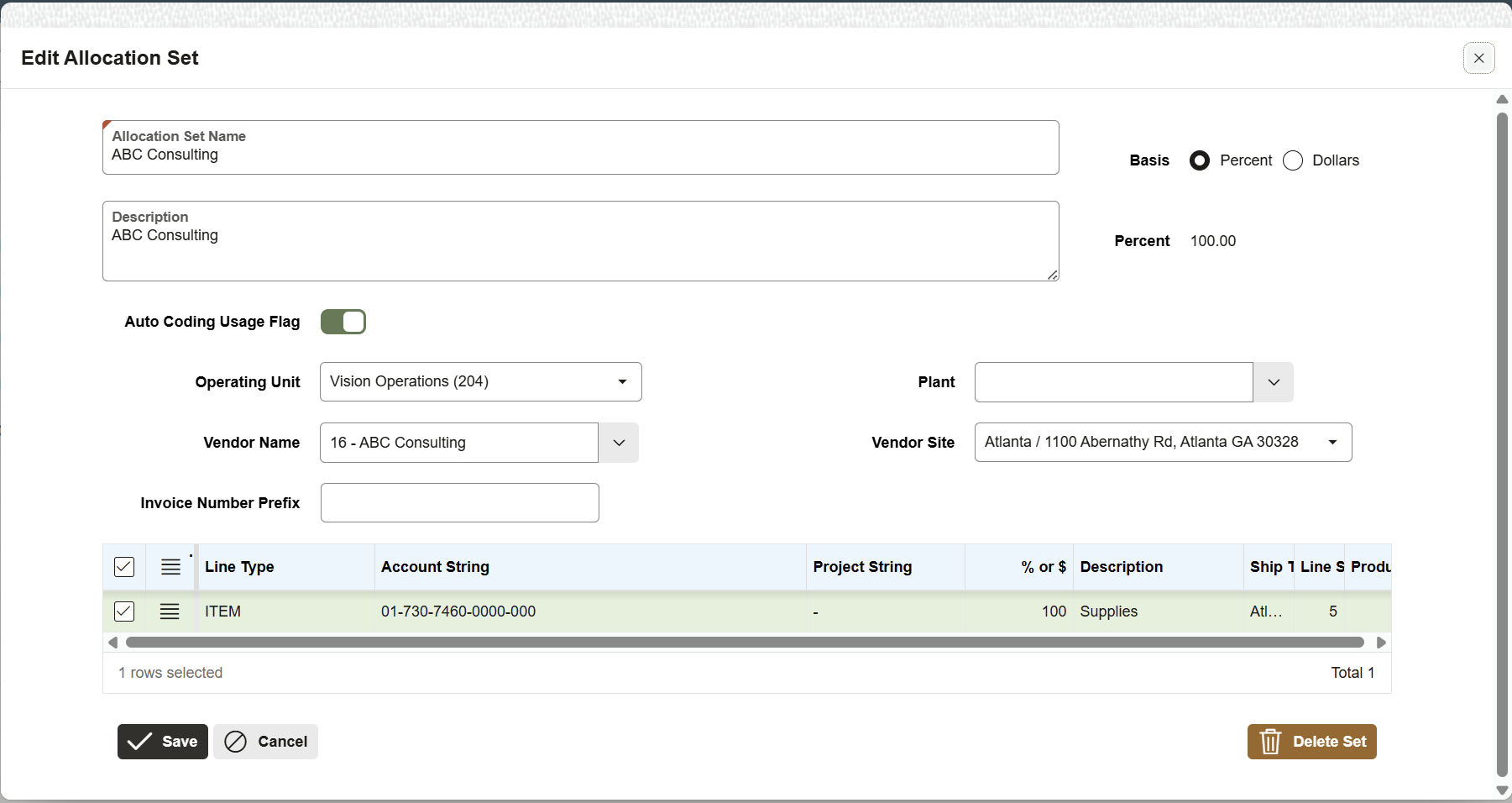
Assign General Ledger accounts, cost centers, and internal orders by rule and by learning, for PO and non-PO invoices.
Flexible Matching
Two-way and three-way matching against live SAP purchase orders and goods receipts, with tolerances you set.
Intelligent Workflow
Route invoices to the right approvers by amount, entity, department, or project, with mobile sign-off.
Control & Compliance
Protect your organization and maintain audit trails.
Fraud & Duplicate Detection
Built-in controls catch duplicate invoices and suspicious patterns before anything posts to SAP.
Audit Trail & Compliance
Complete audit trail from capture to the posted SAP document, with segregation of duties enforced before posting.
Integrate & Analyze
Post natively to SAP and gain insights.
Native SAP Posting
Post through SAP's own interfaces (MIRO and FB60) or standard invoice APIs. SAP stays the system of record.
Analytics & Reporting
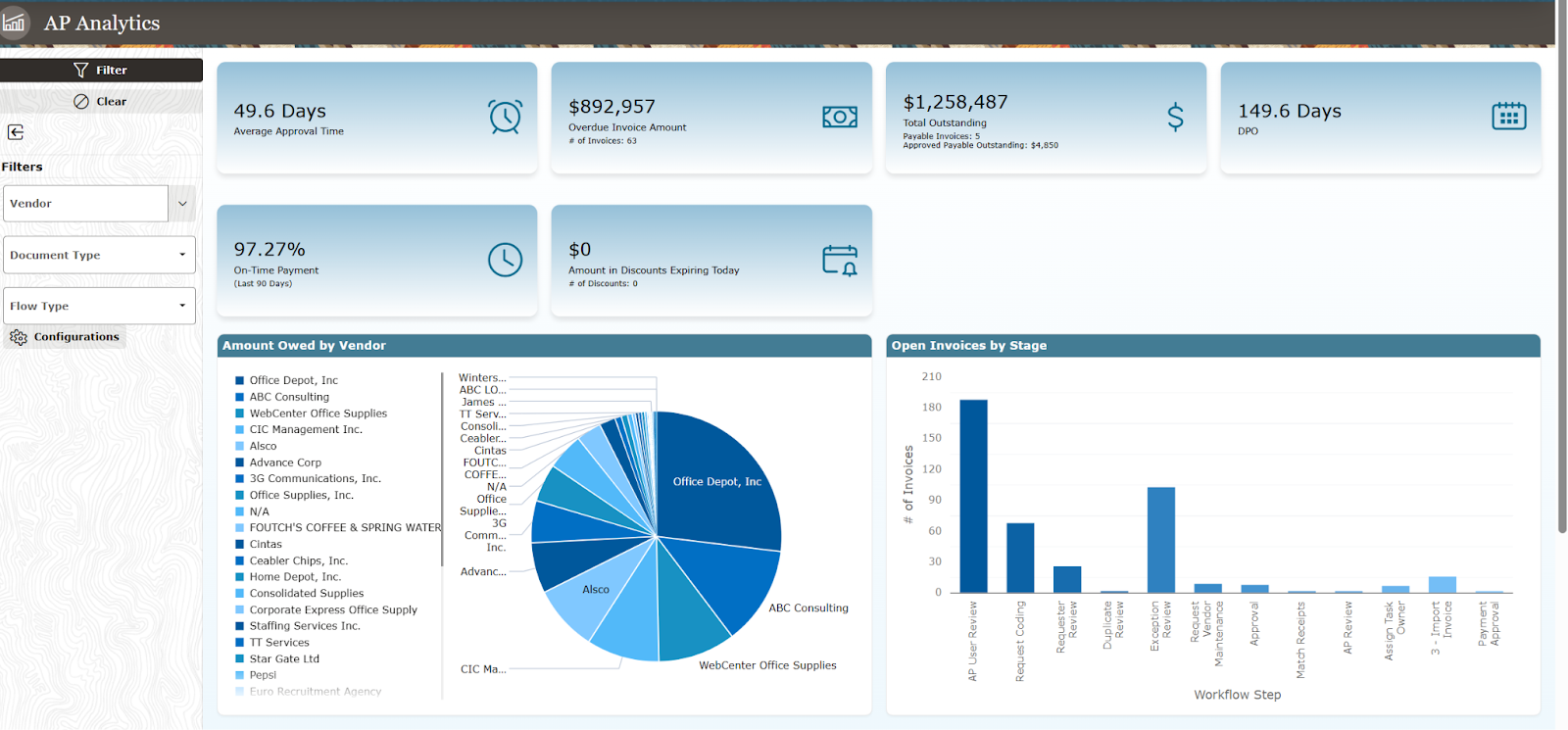
Real-time dashboards show processing times, blocked invoices, and team performance.
Every finance team runs AP a little differently.
These are the cases that rarely fit one fixed process. You configure how each one is handled on the OAN layer, instead of customizing SAP or reconfiguring a rigid add-on.
The invoice does not match the purchase order
SAP blocks the invoice the moment it falls outside a tolerance key. Decide what happens instead: auto-accept minor price or quantity variances, route to the buyer, or hold, with different tolerances by vendor and category, so far fewer invoices sit in the blocked queue.
One payment, many invoices
Group, net, and offset invoices, credits, and subsequent debits the way your treasury team pays, then hand SAP a clean result for the automatic payment run.
Complex coding and allocations
Split one invoice across cost centers, internal orders, work breakdown structure elements, and General Ledger accounts with allocation rules, instead of hand-coding every line in the FB60 entry screen.
Company-code and country differences
Different approval matrices, tolerance keys, and document requirements per company code or country, all on one layer, all still posting to SAP.
Faster payments, a cleaner close, and lower risk.
Protect working capital
Capture early-payment discounts, cut late-payment penalties, and control the SAP payment run with clean, on-time invoices.
Close faster
Fewer blocked invoices and open Goods Receipt / Invoice Receipt items mean a cleaner, quicker month-end.
Control and compliance
Audit-ready from day one, with duplicate and fraud prevention and segregation of duties enforced before anything posts.
Fast to deploy, low risk
No rip-and-replace and no second Vendor Invoice Management project. You go live in weeks, and the setup carries across a move to SAP S/4HANA.
Common questions about SAP, posting, and control.
Validated invoices post through SAP's own interfaces, the standard invoice entry transactions (MIRO for purchase-order invoices and FB60 for non-PO invoices) or standard SAP invoice APIs. They process the normal SAP way, and SAP remains your system of record.
No. OAN is a control layer, not a data silo. It orchestrates SAP's own interfaces and keeps only its own working records: rules, mappings, approvals, and audit history. Your transactional data stays in SAP.
Vendor Invoice Management is powerful but tightly coupled to SAP, and small business-rule changes can become complex, costly configuration, with rework on an S/4HANA migration. OAN keeps your business-specific rules in a flexible layer, so change is configuration rather than a project, and it works even across a mixed ERP estate.
Yes. Non-PO invoices are captured, coded to the right General Ledger accounts and cost centers by rule, routed for approval, and posted to SAP, with the same controls as purchase-order invoices.
Yes. It performs two-way and three-way matching (purchase order, goods receipt, and invoice) against live SAP data, with tolerances you define, and routes exceptions to your team to resolve.
Yes. Because the AP logic lives on the OAN layer and connects through SAP's standard interfaces, your process carries forward across the migration instead of being reworked.
Bring your hardest invoice scenario, and we will show you how it runs on SAP.
Book a working session with an OAN AP architect. Bring the exceptions that are hard to handle in SAP or your Vendor Invoice Management setup, and we will map exactly how OAN handles them and posts to SAP.
No commitment. A working session with architects who have automated AP around SAP and Vendor Invoice Management setups.